

Feedback
Game Name
Share





Mineblock Zombie Survival
Mineblock Zombie Survival
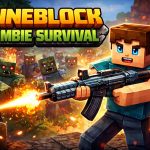
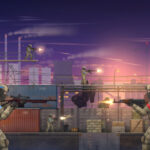
If you've ever felt the thrill of standing on the edge of a crumbling cliff, watching a horde of green-skinned invaders rush toward you, you'll immediately recognize the pulse-pounding intensity of Mineblock Zombie Survival. This fast-paced shooter doesn't rely on scripted cutscenes or complex lore; instead, it plunges you straight into a chaotic arena where survival is the only objective. The game's visual style is vibrant and cartoonish, perfectly suited for its frantic energy, but don't let the bright colors fool you—the stakes are genuinely high as waves of zombies relentlessly close in on your position.
At the heart of the experience are tight, responsive shooting mechanics that reward precision and quick reflexes. You aren't just aimlessly firing; you must strategically manage your ammo reserves while dodging incoming projectiles and swarming enemies. The arena itself is a dynamic playground, featuring destructible environments that allow for creative cover and tactical repositioning. As you survive successive waves, the difficulty ramps up, introducing faster zombies and more aggressive attack patterns that keep you constantly on your toes. The progression system rewards persistence with increasing difficulty, ensuring that each session feels like a fresh challenge rather than a repetitive loop.
Controls are intuitive and accessible, making the game approachable for newcomers while remaining deep enough for seasoned players. Movement is handled via standard WASD keys, allowing you to dash, slide, and take cover behind crumbling walls. Your aiming relies on a smooth mouse cursor, which tracks targets with precision even during chaotic moments. Shooting is automatic when you click, but the timing and positioning of your shots are entirely up to you. The UI is clean and non-intrusive, displaying ammo counts, wave timers, and health status without cluttering the screen.
A helpful tutorial mode walks you through the basics before you even face your first wave, ensuring that everyone starts on equal footing.
- From Mineblock Zombie Survival to Brainrot: Castle Siege!: Level Up Your Game
- From Mineblock Zombie Survival to Wood Island: Level Up Your Game
- From Mineblock Zombie Survival to Sniper Assassin: Level Up Your Game
- Finished Mineblock Zombie Survival? Try Crazy Pixel Apocalypse 4 UI 2026
- If you enjoyMineblock Zombie Survival,also enjoyGun Shooting Game — try it here
- From Mineblock Zombie Survival to Pinball Legends: Level Up Your Game
- If you enjoyMineblock Zombie Survival,also enjoyDigital Circus Shooter — try it here
- Finished Mineblock Zombie Survival? Try FNAF Strike Shooter
- From Mineblock Zombie Survival to My Hungry Fish Game: Level Up Your Game
- From Mineblock Zombie Survival to Twist Your Path: Level Up Your Game
- Finished Mineblock Zombie Survival? Try Merge Plants – Defense Zombies
- Played enough? Try Hospital Doctor Emergency
- Played enough? Try Stair Ball: Hyper Casual
- Dead Survival: Zombie Shooter
- Played enough? Try Superhero Hammar Man
- Played enough? Try Skibidi Titans Hide And Seek
- If you enjoy Mineblock Zombie Survival, you will also enjoy Family Simulator Beach Games — try it here
- If you enjoy Mineblock Zombie Survival, you will also enjoy Family Pet Dog Games — try it here
- The Illusion of Speed: Why Car Game Rankings Are Deceptive
Despite its straightforward premise, Mineblock Zombie Survival is surprisingly fun because it strikes a perfect balance between chaos and strategy. The satisfaction of landing a well-timed shot, combined with the adrenaline rush of barely escaping another wave, creates a loop of engagement that's hard to resist. The game rewards quick thinking and adaptability; there's no single "right" way to survive, which means every run feels unique. Whether you're playing solo or with friends taking turns, the competitive yet cooperative nature of the arena adds a layer of social enjoyment.
It's also surprisingly accessible, with no steep learning curve that might alien
# Mineblock Zombie Survival: A Survival Guide
Getting Started
Welcome to Mineblock Zombie Survival, a high-octane FPS where you must defend the underground mining colony from relentless hordes. Upon spawning, you are equipped with a basic starter pistol and a health pack. Your primary objective is to secure resources while fending off waves of zombies that breach the perimeter. The map is designed with narrow corridors and open plazas; use the environment to your advantage. Always keep an eye on the mini-map for zombie swarms approaching from the north or east. Your first priority should be gathering wood and stone near the spawn point to unlock the crafting menu, which is essential for survival. Do not engage in prolonged firefights early on; conserve your ammunition and retreat to the fortified base when numbers get too high. The game features dynamic lighting that can be used to spot enemies at night, but it also provides cover. Learn to listen for the distinct groaning of approaching zombies before they become visible.Pro Tips
Mastering the combat mechanics is key to longevity. While the pistol is decent, the real power lies in the shotgun and the sniper rifle, available via the E craft key. Craft these weapons as soon as you have sufficient resources. The shotgun is devastating at close range, perfect for clearing tight corridors of multiple enemies instantly. The sniper rifle, conversely, is your best friend during lulls; use it to pick off stragglers from a distance without expending ammo. Ammo is scarce, so never fire unless you have a clear shot. Another pro tip is to utilize the cover system. The game features destructible walls and crates; shooting them can create new lines of sight or block enemy fire paths. Always flank enemies; attacking from the side or rear deals significantly more damage than frontal assaults. Furthermore, the game introduces a panic mechanic during extreme hordes; if your heart rate spikes, move immediately. Standing still during a panic event guarantees defeat.Controls
* W, A, S, D: Move the character. Use these keys to navigate the mining tunnels and position yourself for optimal shots. * Mouse: Aim the weapon crosshair. Look around corners and track moving zombies smoothly. * Left Click: Shoot or attack. Press this to fire your currently equipped weapon. Hold for semi-auto or tap for precision shots. * E: Craft. Open the crafting menu to create weapons,👉 <a href="Redefining Vehicle Mechanics: Why the Driving vs Truck Binary Fails">Redefining Vehicle Mechanics: Why the Driving vs Truck Binary Fails
👉 Played enough? Try The Myth of the Aggressive Survivor: Why Common Action Game Advice Fails
👉 Played enough? Try Crossmath Challenge
👉 If you enjoy Mineblock Zombie Survival, you will also enjoy Best Classic Games — try it here
👉 Played enough? Try The Myth of the King: Why Tank Rankings Fail
👉 Played enough? Try The Winter Season Gaming Myths: Why Advice Often Fails
- Gun Shooting Games Sniper 3D
- If you enjoy Mineblock Zombie Survival, you will also enjoy Brawl Stars Battle — try it here
- If you enjoy Mineblock Zombie Survival, you will also enjoy Truck Browser Games in 2026: A Critical Analysis — try it here
- If you enjoy Mineblock Zombie Survival, you will also enjoy The Myth of the Car Game Ranking — try it here
- If you enjoy Mineblock Zombie Survival, you will also enjoy The Illusion of Android Rankings: A Case for Mechanical Integrity — try it here
- Why Common Roblox Game Advice is Wrong: A Data-Driven Debunk
- If you enjoy Mineblock Zombie Survival, you will also enjoy The Illusion of Order: Why Car Parking Game Rankings Are Deceptive — try it here
- Played enough? Try Blurring Lines: Why the vs Sky Binary Fails
- The Illusion of Fairness in PvP Leaderboards
- Played enough? Try The Lost Era of Browser Arcade: From Java to WebGL
- Why Most HTML5 Game Advice Is Wrong: Debunking Three Common
- Played enough? Try The Illusion of Skill in Browser Parking Games
- The Illusion of Order in Browser Action Rankings
- If you enjoy Mineblock Zombie Survival, you will also enjoy The Illusion of Quality in Italian Browser Gaming — try it here
- Played enough? Try CANDY MATCH MOVE
- Played enough? Try Farming Simulation Game
👉 If you like Mineblock Zombie Survival, Super Slime Black Hole is a natural next pick
👉 Played enough? Try Car Destruction King
👉 If you enjoy Mineblock Zombie Survival, you will also enjoy Inkway — try it here
👉 Played enough? Try Sedans vs Survival: Comparing Driving Mechanics in Arcade Parking and Ship & Fish
👉 Played enough? Try Gears Of War Platformer
👉 If you like Mineblock Zombie Survival, Summer Rider 3D is a natural next pick
👉 If you enjoy Mineblock Zombie Survival, you will also enjoy Brookhaven Real Life — try it here
👉 If you enjoy Mineblock Zombie Survival, you will also enjoy Save My Pet Game — try it here
👉 Played enough? Try Paint or Seek: Chameleon Hide Online
👉 If you like Mineblock Zombie Survival, Dinosaur Boom Boom is a natural next pick
👉 Played enough? Try Aberiel Church Jigsaws
👉 If you like Mineblock Zombie Survival, Park Draw Game is a natural next pick
👉 If you like Mineblock Zombie Survival, SweetFlip is a natural next pick
👉 Played enough? Try Chasing vs. Coloring: A Deep Dive into Casual and Puzzle Gaming
👉 If you like Mineblock Zombie Survival, ObbloxGun.io 3D FPS Shooter is a natural next pick
How to Play Mineblock Zombie Survival
Controls
WASD to move, mouse to aim, left click to shoot/attack, E to craft.
Tips
- Craft weapons early to increase your damage output against the horde.
- Build defensive structures around your spawn point to create safe zones.
- Save your crafting points for high-tier tools rather than spending them all at once.
- Stay mobile and reposition frequently to avoid being surrounded by zombies.
Frequently Asked Questions
Is it free?
Mineblock Zombie Survival is free to play.
Can I play on mobile?
Mineblock Zombie Survival is playable in your mobile browser using HTML5.
You May Also Like





Gaming Terms to Know
- ADS
- Aim Down Sights — zooming in through a weapon's sight or scope for more accurate shots, at the cost of slower movement speed.
- Headshot
- A shot that hits an enemy in the head, dealing critical damage or instant kill. Headshots reward accuracy and are tracked in multiplayer stats.
- Recoil
- The backward movement of a weapon when fired. Higher recoil means your crosshair jumps more — controlling it through burst-fire or mouse pull-down is a key skill.
- Reload Cancel
- An advanced technique where you interrupt the reload animation to fire sooner, saving valuable split-seconds in close combat.
 3d
3d Action
 Adventure
 App Store
 Arcade
 Blog
Blog Brain
Brain Car
Car Car Racing
 Classic
 Clicker
 Color
Color Cooking
 Cool
Cool Cozy
Cozy Crazy
Crazy Flash
Flash Funny
Funny Games For Boys
 Games For Girls
 Girls
Girls Gun
Gun Html5
Html5 Hypercasual
 Intelligence
 Logic
Logic Mini
Mini Mobile
 Multiplayer
 New
New Pais De Los Juegos
 Platform
 Point And Click
 Pop It
 Popular
 Puzzle
 Puzzles
 Racing
 Robot
Robot Rpg
Rpg Shooting
 Skill
Skill Soccer
 Sports
 Stickman
 Synthesis
 Video
VideoAbout Mineblock Zombie Survival
Mineblock Zombie Survival drops you into a blocky procedurally-generated world overrun by zombies. Craft weapons, build defenses, and survive wave after wave of increasingly difficult undead attacks.
How to Play
WASD to move, mouse to aim, left click to shoot/attack, E to craft.
Game Features
- Genre: Shooting
- Free to play — no downloads, no logins
- Works on desktop, mobile, and tablet browsers
- Instant play — click and start
Related Articles
- The Complete Shooting Games Guide for 2026 Why Most Shooting Game Advice Is Wrong: A Critical Analysis The gaming industry is flooded with advice columns, YouTube …
- Shoot vs Shooting: A Mechanical Breakdown Shoot vs Shooting: A Mechanical Breakdown The landscape of action games is often divided by terminology that implies a s…
- Shooting Games vs Shooter Mechanics: A Fresh Analysis Shooting Games vs Shooter Mechanics: A Fresh Analysis The gaming landscape offers two distinct flavors of "shooting" exp…
- Shooting Games vs Puzzle Strategy Shooters Shooting Games vs Puzzle-Strategy Shooters: A Comparative Analysis The genre of video games that blends shooting mechani…
Similar Games You May Like




Please turn the screen 90 degrees to enjoy a better gaming experience!
