

Feedback
Game Name
Share









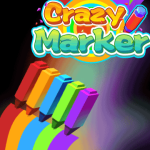
Crazy Marker
Crazy Marker
Game introduction:
Crazy Marker is a free online game of drawing type, it is a small and beautiful boutique game that can be played directly without downloading and installing. This game belongs to the categories of "COLOR GAMES" and "DRAWING GAMES". It is a casual and classic game that men and women prefer.
In the game, you control a cute little man holding a colored brush to touch other brushes on the track to form a team and walk to the finish line. After reaching the finish line, the brushes of each color will draw a beautiful picture and then complete the level. The game has cool animation effects, which is very interesting, easy and relaxed.
Crazy Marker is a vertical screen game experience. We hope to bring immersive happiness to friends who like drawing and color games.
Game Tips:
1. Get as many brushes as possible on the track.
2. Don't let all the brushes fall out of the track.
- Finished Crazy Marker? Try Bike Racing 3
- From Crazy Marker to Little Farm: Level Up Your Game
- From Crazy Marker to Skatinger Master: Level Up Your Game
- Finished Crazy Marker? Try Amazing Road
- From Crazy Marker to Mr Bullet: Level Up Your Game
- Finished Crazy Marker? Try Sniper Assassin
- If you enjoyCrazy Marker,also enjoySnake Running — try it here
- Finished Crazy Marker? Try Street Racing
- From Crazy Marker to Machine Eater: Level Up Your Game
- From Crazy Marker to City Defenser: Level Up Your Game
- If you enjoyCrazy Marker,also enjoyGalaxy Attack — try it here
- From Crazy Marker to Racing Battle: Level Up Your Game
- If you enjoyCrazy Marker,also enjoySprint Driver — try it here
- Finished Crazy Marker? Try Brave Archer
- If you enjoy Crazy Marker, you will also enjoy Best Zombie Fincers 2026 — try it here
- THE SURVIVAL ALLIENS
- Why Most Skill Game Advice Is Wrong
- Bike Racing 3 vs Moto X3M: Which Game Is Right For You
- Played enough? Try The Lost Labyrinth
- Toy Factory
- Played enough? Try Driving Browser Games in 2026: A Critical Analysis
- If you enjoy Crazy Marker, you will also enjoy Design, Business, and Tech: The Browser Game Landscape — try it here
- Played enough? Try The Flawed Binary: Why 3D Gaming Cannot Be Separated from Run Binary
- Why Popular 3D Game Advice Is Wrong
- Finished Crazy Marker? Try Boomix
Good luck!
# Crazy Marker Guide
Getting Started
Crazy Marker is a chaotic, physics-based drawing game where the primary objective is to create elaborate, often unintentionally funny scribbles across your screen or paper. The core mechanic revolves around a marker with a massive, uncontrollable ink trail. You start with a blank canvas, and your goal is simply to draw, but the "fun" comes from the fact that you will rarely draw straight lines. The game encourages experimentation; there is no perfect score, only the sheer joy of watching your creations morph into unexpected shapes as gravity, friction, and your own frantic movements take over. Whether you are trying to draw a simple smiley face or a complex geometric pattern, expect the marker to resist your intentions, leading to hilarious, abstract masterpieces.Pro Tips
To master the chaotic nature of Crazy Marker, you must learn to work *with* the physics rather than against them. First, utilize momentum. If you need to draw a long, sweeping curve, don't just click and hold; give the marker a sharp initial push and then release. Once in motion, the marker will coast for a few seconds, allowing you to let it drift into a desired shape before it stops. Second, master the "anti-gravity" technique. When the marker is stuck to a surface due to high friction, rapidly moving the cursor in a small, tight circle can sometimes build up enough speed to break the marker free, causing it to slide across the surface in a new direction. Third, be mindful of the ink trail. While you can't control the exact flow, you can influence the density. Drawing quickly results in thin, sparse lines, while dragging slowly or holding the mouse down creates thick, bold strokes that can cover up mistakes or create solid blocks of color. Finally, use the environment. If the game allows drawing on multiple layers or surfaces, use them to your advantage. A quick tap on a secondary layer can create a background element that the main marker can then interact with, adding depth to your creation.Controls
The interface is designed for maximum freedom, but understanding the mappings helps you execute your strategies.- Left Mouse Button (Hold): Activates the marker. As long as this button is held down, the marker will draw continuously. Releasing this button immediately stops the ink flow.
- Left Mouse Button (Click): Performs a single "tap" draw. This is useful for creating dots or short, precise segments before the marker gains too much momentum.
- Right Mouse Button (Hold): Activates the eraser. Holding this button clears the trail behind the marker. This is essential for cleaning up messy areas or correcting your own work.
- Right Mouse Button (Click): Performs a single "tap" erase. This allows you
FAQ
Q: What is the core objective of Crazy Marker?
A: In Crazy Marker, you must place a marker on the floor before any other marker is placed. This is your only chance to avoid losing immediately. After your first move, the game becomes a race to claim the final remaining tile as the marker rotates around the board, challenging you to think several steps ahead.Q: How does the marker rotation mechanic work?
A: The marker spins continuously, revealing new tiles and hiding others. You can only place a marker on a tile that is currently visible. If you fail to place a marker before the rotation hides all safe tiles, the game ends abruptly. Planning your moves around the rotation cycle is essential for survival.Q: What happens if I make a mistake early in the game?
A: The game is unforgiving at the start. If you fail to place your first marker correctly, you lose instantly. However, once you have secured your initial position, the difficulty ramps up gradually. Early mistakes are often catastrophic, but mid-game errors simply reduce your chances of securing the final tile.Q: Can I save my progress and come back later?
A: Yes, Crazy Marker automatically saves your progress every time you make a move or the game ends. You can close the app or switch to another game without losing your board state. Simply reopen the game, and your last saved position will be restored, allowing you to continue where you left off.Q: Are there any tips for improving my strategy?
A: The best advice is to anticipate the marker's rotation pattern. Try to place your markers in positions that remain visible for as long as possible, forcing your opponent into difficult choices. Patience is key; rushing your move often leads to losing the final tile. Analyzing the board after each turn can help you refine your understanding of the rotation mechanics.Q: What games are similar to Crazy Marker?
A: Crazy Marker shares DNA with abstract strategy games like Boggle, where the challenge lies in finding valid moves within a constrained set of options. It also resembles puzzle games that involve spatial reasoning and turn-based planning. If you enjoy games that require you to think several steps ahead and adapt to dynamic board states, you will likely find Crazy Marker engaging.👉 Played enough? Try Q&A: Action Browser Games
👉 If you like Crazy Marker, Hard Push Game is a natural next pick
👉 Played enough? Try Vehicle Browser Games: The Intersection of Chaos and Commerce
👉 Played enough? Try Cube Match Logic
- If you enjoy Crazy Marker, you will also enjoy Are Two-Player Browser Games Still Viable in 2026? An Industry Analysis — try it here
- Played enough? Try Why Most Action Game Advice Is Wrong
- If you enjoy Crazy Marker, you will also enjoy The Illusion of Fairness: Why Two-Player Rankings Deceive — try it here
- Played enough? Try Decoding the Illusion: Why Casual Game Rankings Mislead and What Comes Next
- The False Dichotomy: Multiplayer Games and Brainrot Sahuuur
- Played enough? Try Why Most Snake Game Advice Is Wrong
- If you enjoy Crazy Marker, you will also enjoy The Myth of Perfect Endless Rankings — try it here
- Reconciling the Driving and Truck Binaries
- Football Legends Sliding Puzzle
👉 If you like Crazy Marker, Essential Arcade Mechanics: Gangster V vs Knife Run is a natural next pick
Frequently Asked Questions
Is Crazy Marker free to play?
Yes, Crazy Marker is a free online game that you can play directly without any cost.
Do I need to download or install anything to play?
No, the game runs instantly in your browser using HTML5 technology, so there is no download or installation required.
Can I play Crazy Marker on my mobile phone?
Absolutely, the game works on both desktop computers and mobile devices, allowing you to draw and play anywhere.
You May Also Like




Gaming Terms to Know
- Browser Game
- A game that runs entirely in your web browser — no downloads, no installations. Just click and play. Uses HTML5, JavaScript, and WebGL.
- Checkpoint
- A save point within a level that you respawn at when defeated. Collecting checkpoints prevents losing all progress on death.
- Achievement
- An optional in-game milestone (complete a level without dying, find a secret area) tracked across your profile. Achievements add extra challenges for completionists.
- Leaderboard
- An online ranking of top scores or fastest times. Competing for a spot on the leaderboard adds replay value long after completing the main content.
 3d
3d Action
 Adventure
 App Store
 Arcade
 Blog
Blog Brain
Brain Car
Car Car Racing
 Casual
 Classic
 Clicker
 Color
Color Cool
Cool Cozy
Cozy Crazy
Crazy Flash
Flash Funny
Funny Games For Boys
 Games For Girls
 Gun
Gun Html5
Html5 Hypercasual
 Intelligence
 Logic
Logic Mini
Mini Mobile
 Multiplayer
 New
New Pais De Los Juegos
 Platform
 Point And Click
 Pop It
 Popular
 Puzzle
 Puzzles
 Racing
 Robot
Robot Rpg
Rpg Shooting
 Skill
Skill Soccer
 Sports
 Synthesis
 Video
VideoAbout Crazy Marker
Game introduction: Crazy Marker is a free online game of drawing type, it is a small and beautiful boutique game that can be played directly without downloading and installing. This game belongs to the categories of "COLOR GAMES" and "DRAWING GAMES". It is a casual and classic game that men and women prefer. In the game, you control a cute little man holding a colored brush to touch other brushes on the track to form a team and walk to the finish line. After reaching the finish line, the brushes of each color will draw a beautiful picture and then complete the level. The game has cool animation effects, which is very interesting, easy and relaxed. Crazy Marker is a vertical screen game experience. We hope to bring immersive happiness to friends who like drawing and color games. Game Tips: 1. Get as many brushes as possible on the track. 2. Don't let all the brushes fall out of the track. Good luck!
How to Play
Click or tap the play button to start. Use your mouse, keyboard, or touchscreen to control the game. The objective is simple — dive in and start having fun! No downloads or installations required.
Game Features
- Genre: Casual, Classic, Color, Drawing, Games For Boys, Games For Girls
- Free to play — no downloads, no logins
- Works on desktop, mobile, and tablet browsers
- Instant play — click and start
Related Articles
- Best Casual Games to Play Online in 2026 The Illusion of Fairness in Casual Game Rankings In the late 2020s, casual gaming has become a multi-billion dollar indu…
- Why the Casual vs Candy Divide Is a Design Fallacy Why the Casual vs Candy Divide Is a Design Fallacy The gaming industry often relies on a binary classification system th…
- The Complete Casual Games Guide for 2026 The Myth of the Easy Button: Why Casual Game Advice is Fundamentally Flawed In the modern era of mobile gaming, advice c…
- Casual Games Mastery: Five Proven Tips Casual Games Mastery: Five Proven Tips The casual gaming market thrives on accessibility, but creating engaging experien…
Similar Games You May Like








Please turn the screen 90 degrees to enjoy a better gaming experience!
