Feedback
Game Name
Share



Sticky Scenes
Sticky Scenes
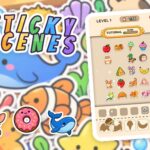
Sticky Scenes is a cozy sticker puzzle game full of cute animals, snacks and treats. HOW IT WORKS: a board of stickers sits above a row of empty sticker shapes. Find the sticker that matches a shape and tap it to stick it in place. More shapes keep coming until the board is clear. THE BENCH: tapped a sticker that is not needed yet? It waits on the bench and jumps into its shape as soon as that shape comes up. The bench has only a few slots, and a full bench ends the level, so look carefully before you tap. BEAT THE CLOCK: every level has a timer. Stuck? Use a Hint to find the next sticker. LEVELS AND CHAPTERS: 47 levels in 11 chapters: a short tutorial, then 10 themed chapters: Pets, Farm, Underwater, Jungle Adventure, Ancient Egypt, Japan, Candy Kingdom, Halloween, Amusement Park, Wild West. STICKER BOOK: every win gives you new stickers. Stick them onto the chapter picture to complete each scene. Your progress is saved automatically.
How to Play
Mouse click a sticker on the board to stick it into its shape Touch tap a sticker Sticker book click tap a sticker or drag it onto the picture Buttons Hint extra bench slot Settings
Cartoon Airplanes: Jigsaw Puzzles Game Guide · Save the Pets Game Guide · Go Find The Cake Game Guide · How to Play Cake Sort · Walkthrough Tips · Free Online Game · Popular H5 Game · High Score Tips · High Score Tips · Free Online Game · Advanced Guide · Want more? Keep playing · Too easy? Level up · Want more? Keep playing · Try this similar game
Play Sticky Scenes for free in your browser — no download required.
Game Controls
Mouse click a sticker on the board to stick it into its shape Touch tap a sticker Sticker book click tap a sticker or drag it onto the picture Buttons Hint extra bench slot Settings
You May Also Like





Gaming Terms to Know
- Cascade
- A chain reaction where clearing one set of tiles causes new tiles to fall into matching positions, creating automatic combos without additional moves.
- Power-up
- A collectible item that grants a temporary special effect — clearing a row, shuffling the board, or adding extra time. Strategic power-up use separates casual from expert play.
- Locked Tile
- A tile that cannot be moved or matched until freed — usually by clearing adjacent tiles or breaking a lock. The primary obstacle in advanced puzzle levels.
- Tile Match
- A core mechanic where you swap, rotate, or slide adjacent tiles to create matching groups. Groups of 3+ clear from the board, triggering cascading combos.
 3d
 Action
 Adventure
 App Store
 Arcade
 Blog
 Boys
 Brain
 Car
 Car Racing
 Casual
 Classic
 Clicker
 Color
 Cooking
 Cool
 Cozy
 Crazy
 Flash
 Funny
 Games For Boys
 Games For Girls
 Girls
 Gun
 Html5
 Hypercasual
 Intelligence
 Logic
 Mini
 Mobile
 Multiplayer
 New
 Pais De Los Juegos
 Platform
 Point And Click
 Pop It
 Popular
 Puzzle
 Puzzles
 Racing
 Robot
 Rpg
 Shooting
 Skill
 Soccer
 SportsStickman
 Synthesis
 Video
About Sticky Scenes
Sticky Scenes is a cozy sticker puzzle game full of cute animals, snacks and treats. HOW IT WORKS: a board of stickers sits above a row of empty sticker shapes. Find the sticker that matches a shape and tap it to stick it in place. More shapes keep coming until the board is clear. THE BENCH: tapped a sticker that is not needed yet? It waits on the bench and jumps into its shape as soon as that shape comes up. The bench has only a few slots, and a full bench ends the level, so look carefully before you tap. BEAT THE CLOCK: every level has a timer. Stuck? Use a Hint to find the next sticker. LEVELS AND CHAPTERS: 47 levels in 11 chapters: a short tutorial, then 10 themed chapters: Pets, Farm, Underwater, Jungle Adventure, Ancient Egypt, Japan, Candy Kingdom, Halloween, Amusement Park, Wild West. STICKER BOOK: every win gives you new stickers. Stick them onto the chapter picture to complete each scene. Your progress is saved automatically.
How to Play
Mouse click a sticker on the board to stick it into its shape Touch tap a sticker Sticker book click tap a sticker or drag it onto the picture Buttons Hint extra bench slot Settings
Game Features
- Genre: Puzzle
- Free to play — no downloads, no logins
- Works on desktop, mobile, and tablet browsers
- Instant play — click and start
Related Articles
- The Mythical Top 10: Why Puzzle Rankings Are Deceptive The Mythical Top 10: Why Puzzle Rankings Are Deceptive Puzzle game rankings frequently mislead consumers by favoring tit…
- How to Play Puzzle Games Beyond Generic Tips The Myth of the Perfect Strategy: Why Standard Puzzle Advice Fails In the saturated market of mobile gaming, players oft…
- Casual vs Puzzle: Analyzing Gameplay Dynamics Casual vs Puzzle: Analyzing Gameplay Dynamics In the modern gaming landscape, developers often categorize titles into br…
- Casual vs Puzzle: Finding Your Next Playable Fix Casual vs Puzzle: Finding Your Next Playable Fix The gaming landscape often draws sharp lines between genres, yet the bo…
Similar Games You May Like








Please turn the screen 90 degrees to enjoy a better gaming experience!