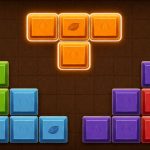
Bubble Fruit and Blast Star both hit the free browser game scene with simple premises, yet they pull you in very differently. Bubble Fruit leans into a cozy, fruit-themed match-3 vibe where you swap gems to clear combos and score big. Blast Star takes a more aggressive, arcade-style approach, mixing shooting and tactical movement. If you enjoy relaxing puzzle sessions or want a quick burst of action, both offer solid entry points without demanding a hefty download. They’re free to play, so you can test both without commitment. The real difference comes down to pacing: one rewards methodical planning, the other thrives on reflexes and risk-taking. ## Gameplay Mechanics Bubble Fruit centers on a classic match-3 grid. You tap adjacent bubbles to swap them, aiming to create three or more of the same color. Clearing a match drops the bubbles and often spawns new ones, keeping the board dynamic. Special combos—like linking four or five—unlock power-ups that pop clusters or freeze rows. The timing feels tight but fair; you get a moment to assess the board before committing. Blast Star flips the script with a shooter-meets-puzzle hybrid. You control a character or ship, moving across a field while blasting enemies or collecting items. The core loop involves positioning to take out threats, managing ammo or energy, and sometimes solving quick puzzles to unlock new areas. Unlike Bubble Fruit’s static grid, Blast Star demands constant motion and decision-making under pressure. Both games are free, but their mechanics cater to very different playstyles: one is about pattern recognition and strategic swaps, the other about reflexes and resource management. ## Graphics & Controls Bubble Fruit sports a bright, cartoonish aesthetic with glossy fruit motifs and smooth animations. The color palette is saturated but not overwhelming, making it easy to spot matches quickly. Controls are minimal: a click or tap swaps bubbles, and the interface is highly responsive. It feels like a polished mobile game ported to the browser, with no hidden menus—just a clean board and a score counter. Blast Star leans into a more stylized, almost neon look. It uses sharper lines and glowing effects to emphasize action, giving it a slightly darker vibe compared to the fruit theme. Controls vary by build; some versions use mouse clicks for aiming and movement, while others offer keyboard shortcuts for power-ups. The visual feedback is immediate—explosions, sparks, and hit markers are clear, but the interface is denser than Bubble Fruit’s. If you’re on a touchscreen, Bubble Fruit likely feels smoother; on a desktop, Blast Star’s keyboard support can give you more precision. ## Difficulty & Learning Curve Bubble Fruit is forgiving. New players can pick up the basics in a minute or two, and the game gently nudges you toward combos with visual cues. As you progress, the board fills faster and special bubbles appear more often,
Try These Games
- Sprint Driver — play free in your browser
- Crazy Knife — play free in your browser
- Blast Star — play free in your browser
- Antio — play free in your browser
- Alien Shooter — play free in your browser
- 8 Ball Kinger — play free in your browser